
FL Studio Review 2026 – Must Read Before You Buy
Three of my Reels got muted last spring.
Not taken down — just silenced. The trending audio I’d used on a try-on haul got hit with a copyright claim, and Instagram quietly stripped the sound out of a video that had already done 40k views. All that work, sitting there as a soundless clip of me spinning in a dress.
That was the week I started looking into making my own background music. Which sounded absurd at the time, because I can’t play an instrument and I’ve never read a note of sheet music. But after a month of poking around, I ended up spending real money on FL Studio — and I’ve been using it for my Reels, my YouTube intros, and my podcast bumper ever since.
Here’s the honest version of how that went.
Quick Verdict
If you’re a content creator who wants original audio and you’re not planning to become a professional producer: get the Producer Edition at $179, and download the free trial first.
The free trial has no time limit and gives you essentially the full Producer feature set, so there is genuinely no reason to buy blind. Spend a weekend with it. If you’re still opening it on day five, buy it.
If you already know you just want simple loops and don’t need to record your own voice, the $99 Fruity Edition works. If you’re a serious producer, you already know why you’d want the bigger bundles.
👉 Download the free FL Studio trial here — it’s the actual software, not a crippled demo.
What FL Studio Actually Is (In Plain English)
FL Studio is a DAW — a digital audio workstation. Think of it as Photoshop, but for sound. It’s where you build a track: drums, melody, vocals, effects, the whole thing, layered on top of each other and arranged into something you can export as an MP3.
It’s made by Image-Line, a Belgian company that has been building this thing since 1997. It used to be called FruityLoops, which tells you a lot about how long it’s been around. The current release is FL Studio 2026.
It’s also the DAW behind a genuinely ridiculous amount of the music you’ve heard. Metro Boomin, Martin Garrix, Porter Robinson — all FL Studio. That mattered to me less than you’d think when I was choosing, but it did mean one very practical thing: there is a YouTube tutorial for literally every question I’ve had. More on why that turned out to be the single most important factor.
Why a Style Blogger Would Buy Music Software
I want to be upfront that this is not a normal purchase for someone in my niche. But three things pushed me over:
Copyright claims are getting worse, not better. Trending audio is only safe until it isn’t. If you’re building an archive of content you want to keep monetized, borrowed sound is a liability sitting inside every video.
A consistent sonic identity is weirdly powerful. Once I had one 8-second sting that opened every Reel, people started recognizing my videos before they’d read the caption. That’s the audio equivalent of a signature color palette.
Custom-length music solves a real editing problem. Royalty-free libraries give you a 2-minute track you have to awkwardly fade out at 0:23. When you make it yourself, it’s exactly as long as your video.
None of this requires you to be musical. My first usable track was a drum loop, a bass note, and a pad chord I dragged in from the included sound library.
The Learning Curve: My Honest First Week
I’m not going to pretend this was intuitive. It wasn’t.
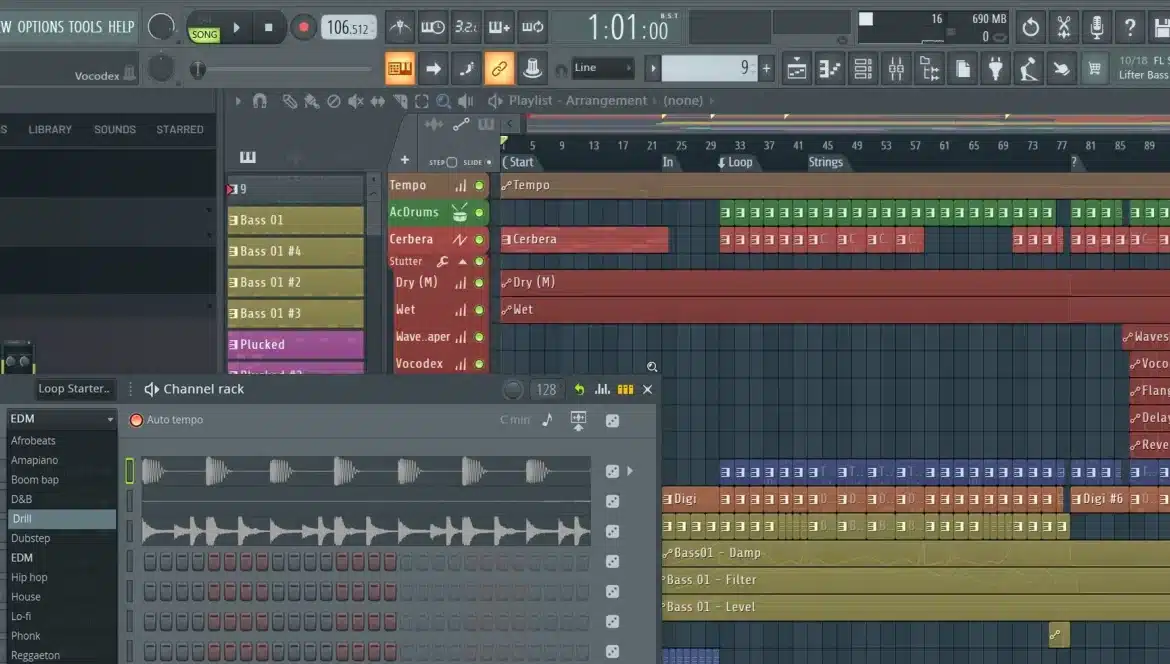
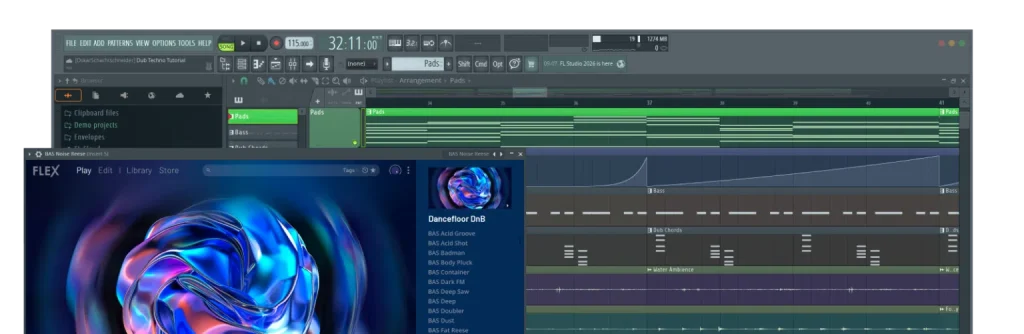
FL Studio’s interface is dense — floating windows everywhere, tiny icons, a layout that assumes you already know what a “mixer insert” is. My first hour was genuinely unpleasant. I opened it, stared at it, closed it.
What changed things was accepting that I only needed four windows: the Channel Rack (where your sounds live), the Piano Roll (where you draw notes), the Playlist (where you arrange sections), and the Mixer (where you make it not sound terrible). Everything else can stay closed for months.
By day three I’d made something I didn’t hate. By day ten I’d replaced my Reel intro. It’s not a weekend skill, but it’s also not a conservatory degree — call it two solid weeks of evenings before it stops feeling like fighting the software.
The 2026 version helps here more than previous ones did. Loop Starter lets you generate and arrange genre-based loops to get a track skeleton going in minutes, which is a much gentler on-ramp than a blank project. There’s also Stem Separation, which splits any audio file into separate instrument tracks — I’ve used it to pull just the drums out of a reference track to study how it was built.
FL Studio Editions Compared: Which One Should You Buy?
This is where most people get stuck, so let me make it simple.
| Edition | Price | What You Get | Best For |
|---|---|---|---|
| Fruity | $99 | Full sequencing, piano roll, playlist, effects — but no audio recording and no audio clips | Loop-based creators who won’t record vocals or instruments |
| Producer ⭐ | $179 | Everything in Fruity plus audio recording, audio clips, Edison audio editor, stem separation, full mixing and mastering | Almost everyone, including creators |
| Signature | $269 | Producer plus a set of additional premium plugins | People who know they want those specific plugins |
| All Plugins | $449 | Every single Image-Line instrument and effect | Working producers |
Prices are Image-Line’s list prices as of July 2026 and vary by region.
The Fruity vs Producer line is the one that matters. Fruity cannot record audio. If you ever want to record a voiceover, a podcast intro, or your own singing, you need Producer. The $80 gap is the difference between a loop tool and an actual studio, and I’d pay it again without hesitating.
I bought Producer. Eight months later I’ve never once wished I’d gone higher.
👉 Compare all four editions on the official site
Lifetime Free Updates: The Part That Actually Sold Me
Here’s the thing that made this a genuinely different purchase from every other creative tool I own.
Every future update is free. Forever. Not free within a version. Not free for a year. Image-Line has honored this for over 25 years — buy FL Studio 2026 today, and FL Studio 2030 arrives as a free download for your edition.
Compare that to basically every other tool in my workflow. Adobe charges me monthly and always will. Ableton charges for major version upgrades. Once I did that math over a five-year horizon, the $179 stopped looking like a splurge and started looking like the cheap option.
One Thing People Get Confused About: FL Cloud
FL Cloud is a separate subscription that adds sample libraries, extra plugins, cloud project backup, and distribution services on top of FL Studio.
I mention it because I see people online assume FL Studio itself is subscription-based. It isn’t. You buy the software once, you own it, and lifetime updates apply. FL Cloud is optional and entirely separate.
I tried it, didn’t renew. The sample library is good, but I have enough sounds. Your mileage will vary if you’re producing full tracks rather than 15-second stings.
The Free Trial (And Its One Real Catch)
The trial is unusually generous: no time limit, full Producer-level features, all plugins unlocked, and unlimited exporting to WAV and MP3. You can genuinely make a finished track and use it.
But there’s one restriction you need to understand before you start: you can save projects, but you can’t reopen them. The .flp file saves to your drive perfectly — it just won’t open again until you register a license. Each session is self-contained.
In practice, this means: work in one sitting, and export your audio before you close the program. Export the full mix, and export your stems separately if you might want to rebuild it later. Nothing is lost — your saved projects unlock the moment you buy — but you can’t iterate across days.
This is what pushed me to actually purchase. I’d made something I liked at 1am and realized I couldn’t come back to it in the morning.
👉 Get the free trial here and give it a real Saturday.
Three Things I Genuinely Don’t Like
I’d be doing you a disservice if this section were fluff, so:
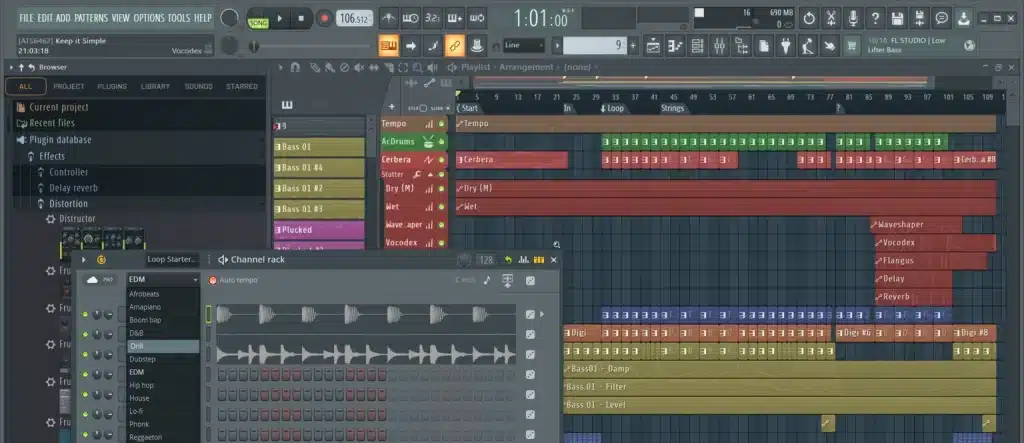
1. The interface is visually chaotic. Windows float over each other, there’s no clean single-window mode by default, and on a 13-inch laptop it’s cramped. I ended up buying a second monitor partly because of this. If you’re precious about clean UI design, this will bother you every single day.
2. The Mac version has historically lagged behind Windows. It’s fully supported now and I run it on a Mac without issues, but FL Studio was born on Windows and the community, tutorials, and third-party plugin culture still skew that way. If you’re on a Mac and you want the smoothest possible experience, Logic Pro at $199 one-time is a legitimately strong competitor and better integrated with Apple hardware.
3. Audio recording in Fruity Edition doesn’t exist — and the pricing page doesn’t scream this loudly enough. I’ve seen people buy the $99 tier, discover they can’t record a vocal, and have to pay to upgrade. Don’t be that person.
Who Should Skip This
- You only need background music occasionally. A royalty-free subscription like Epidemic Sound is $10-15/month and requires zero learning. If you’ll use three tracks a year, that’s the correct answer, not this.
- You want AI to just make the music for you. There are text-to-music tools for that. FL Studio is a craft tool. It rewards time.
- You’re on a Mac and already inside the Apple ecosystem. Look hard at Logic Pro first.
- You have less than a few hours a week to give it. This is a real skill, and skills you don’t practice just become guilt in your applications folder.
FAQ
Is FL Studio a one-time purchase? Yes. You buy your edition once and own it permanently, including all future updates. FL Cloud is a separate optional subscription.
Does FL Studio work on Mac? Yes, both Windows and macOS are fully supported, and your license works across both.
Is the free trial actually free? Completely, with no time limit. The only significant restriction is that you can’t reopen saved projects until you purchase.
Which edition do I need to record vocals? Producer Edition ($179) or higher. Fruity does not include audio recording.
Do they ever go on sale? Yes — Image-Line typically runs a summer promotion around late July/early August and another near the end of the year, usually around 20-25% off. If you’re not in a hurry, waiting for one is worth it. Check the current pricing before you buy.
Can I use music I make for monetized YouTube and Instagram content? Yes. Music you create is yours. That’s the entire point.
Final Verdict
I bought FL Studio for a defensive reason — I was tired of copyright claims — and ended up with something I didn’t expect to enjoy. Making a 10-second loop that sounds like my channel is a weirdly satisfying creative outlet, and it’s the only tool in my stack I’m confident I won’t be paying for again in five years.
Is it for everyone in this audience? Honestly, no. If you post twice a month and want easy background music, buy a stock audio subscription and skip this entirely. But if you’re building something with a real identity, and you’ve felt that flicker of frustration when a platform mutes your work — try the free version. It costs nothing but a Saturday.
👉 Download the free FL Studio trial 👉 See current pricing and editions
Have you tried making your own content music? I’d love to hear what you’re using — drop it in the comments.
You may be interested
Ultrahuman Ring PRO Review: The Only Piece of Tech That Actually Matches My Rings
I have a rule about wearable tech. If it looks...
Why Your Outfit Videos Look Flat — and What Fixed Mine
Last fall I put together an outfit I was genuinely...
